

How to Register for DEB
All of us want to be there - dressed in white, carrying our table and chairs, surprised at the discovery of the secret location. It takes a lot to get "there," though, with the biggest obstacle being registration.
So you have received the email invitation and you've set your clock for Thursday at 10:30 AM. Here are a few tips on how to make the registration process as smooth as possible.
REMEMBER: Your registration is not confirmed until you receive a PayPal emailed receipt and a DEB email confirming your departure location/table leader. The DEB email may take up to an hour to arrive in your inbox, but you should receive the PayPal receipt almost immediately after your purchase.
Before Registration
- Don't use Internet Explorer. Several people reported problems of not being able to progress past Group Leader selection due to issues with Internet Explorer. We suggest you attempt to register with a different browser such as Chrome or Firefox. Free downloads of these browsers can be found here or here.
- Make sure your Adobe Flash is up to date. I saw a big gray box instead of the registration screen because my Flash wasn't working.
- Sign up for a PayPal account now and link it to your credit card. During the first year, many people made it through most of the registration process only to be stopped by PayPal who wouldn't process the credit card.
- If your friend already has a ticket, ask him/her for the name of the Group Leader and Table Leader. That group may be filled by the time you register, but, if there is still space, try to register in that section if you want to be seated in the same area as your friends. Once your registration is complete, groups cannot be changed.
Registration
Step 1: Click the link in your emailed invitation. Once registration opens, choose "I am a woman" or "I am a man."
Click "Register" to proceed to the next page.
Note: You may see a screen that says "Server is at max capacity." The DEB website only allows a certain number of people on the server at once (otherwise it might crash again!). Please try refreshing no more than once every thirty seconds.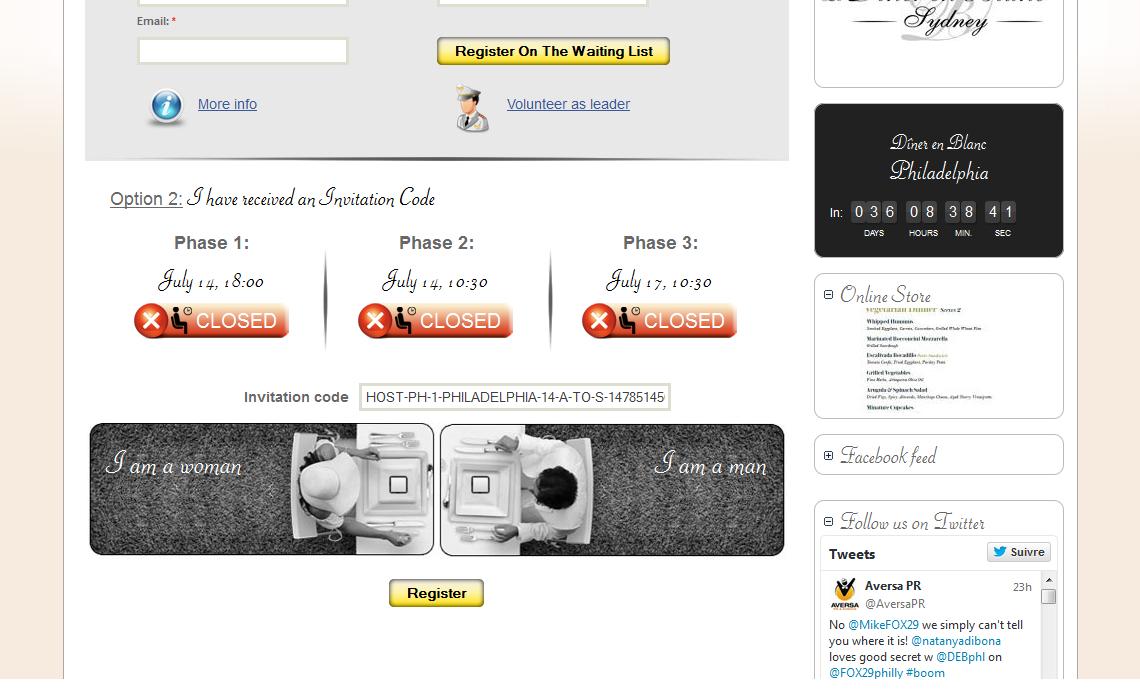
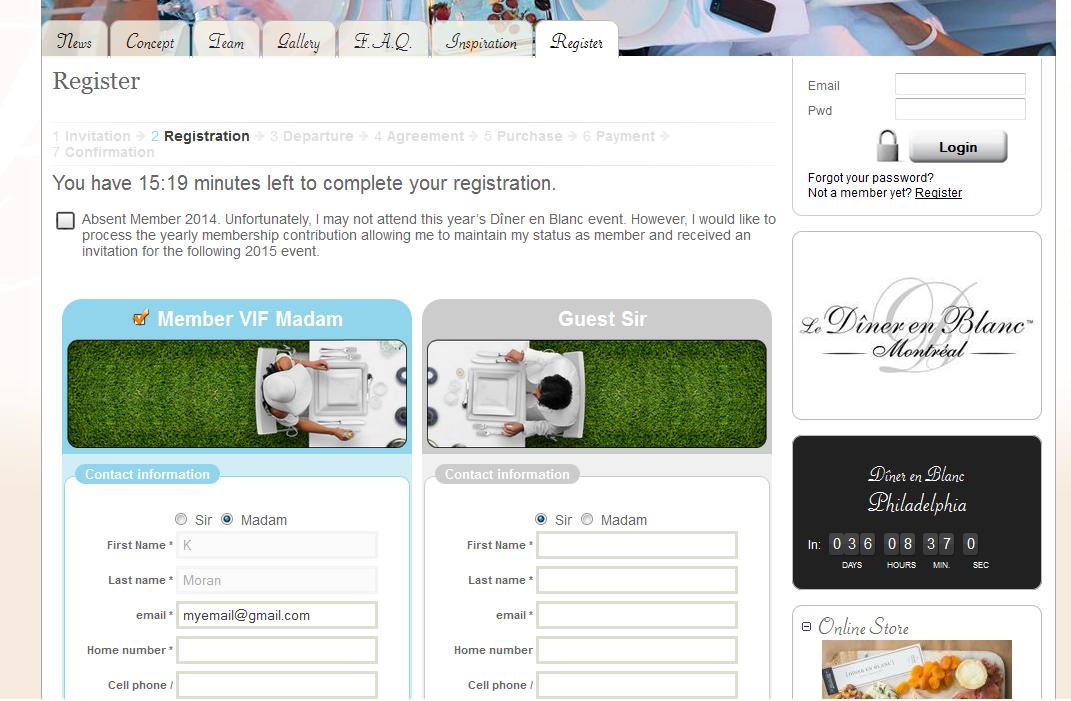
Step 2: Do NOT choose "Absent Member 2014" unless you cannot attend the event this year.
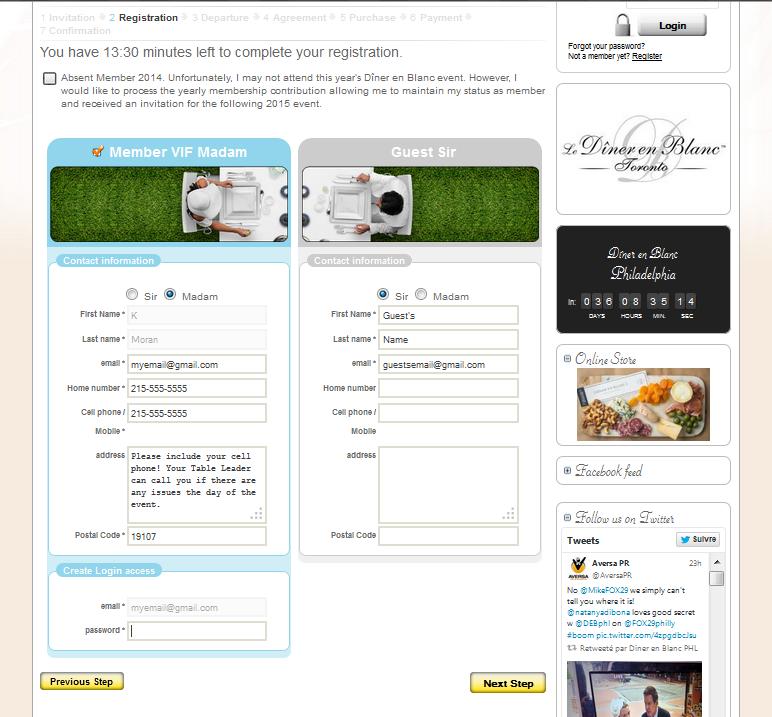
Instead, fill out your information and your guest's information. Guest's information may be changed up to two weeks before the event.
Step 3: Enter a new password. Click "Next Step" to proceed.
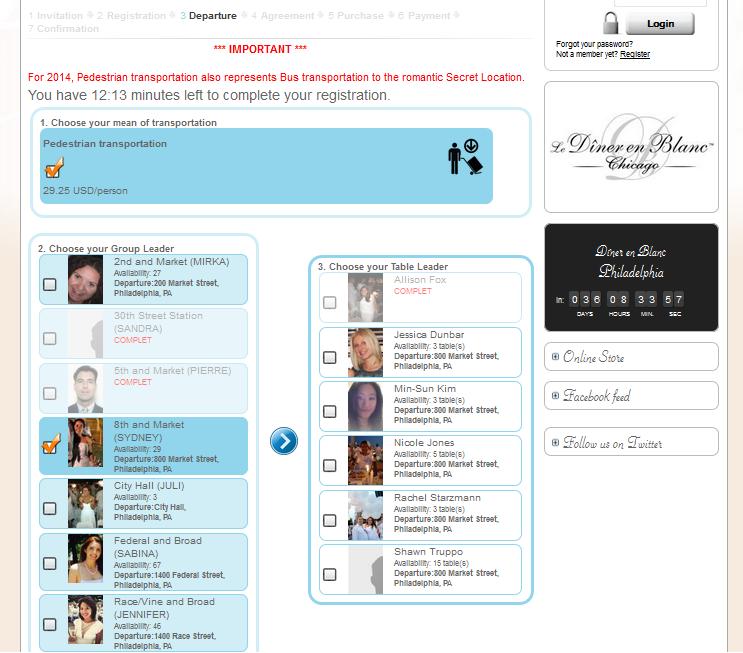
Step 4: Select a Group Leader. You will then see a new box which allows you to choose a Table Leader.
Please note: 30th Street Station, City Hall, Suburban Station, and 5th & Market are now full and you cannot select those departure locations.
Step 5: Don't forget the rules! Everyone must be 21+ years of age, bring a table and chairs, plates, utensils, and a meal. Only 2 bottles of wine or champagne per table allowed. And, of course, dress in all white.
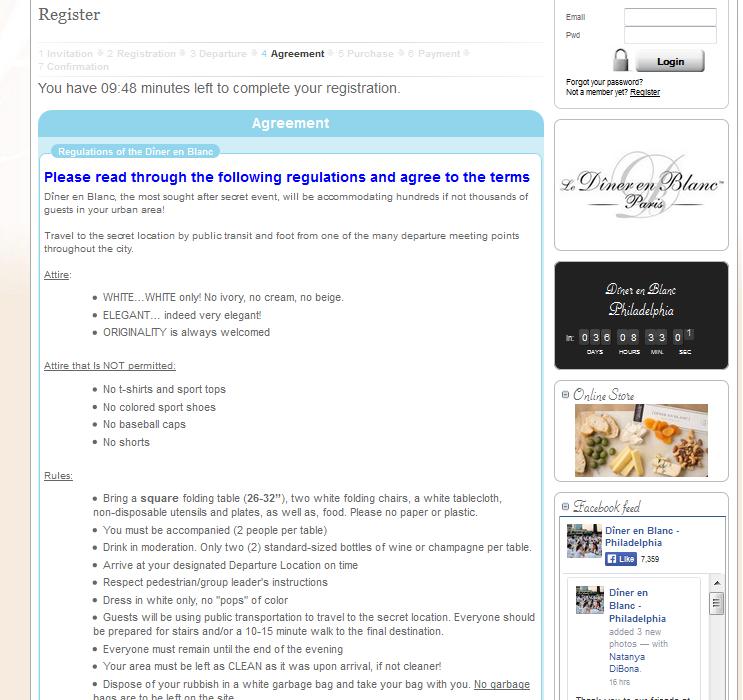
Step 6: You will have a chance to purchase a catered meal if you do not want to bring your own food. You are still responsible for your own table, chairs, plates, utensils, etc.
.jpg)
Step 7: You will be redirected to a PayPal screen where you can pay with a credit card or your PayPal account. Submit the necessary information.
.PNG)
Step 8: You will see a screen confirming your payment and then you will be automatically redirected back to the DEB website/confirmation page.
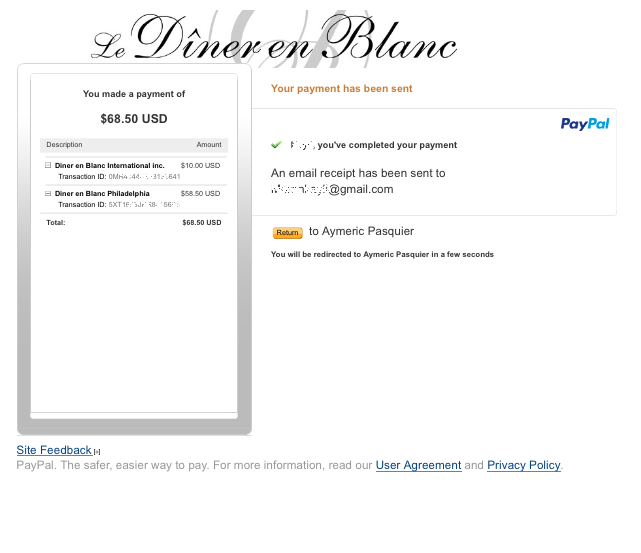
Step 9: You may experience difficulty viewing the DEB confirmation page since the server will be very busy. The most important thing is to make sure your PayPal payment went through.
REMEMBER: Your registration is not confirmed until you receive a PayPal emailed receipt and a DEB email confirming your departure location/table leader. The DEB email may take up to an hour to arrive in your inbox, but you should receive the PayPal receipt almost immediately after your purchase.
Questions? Check our our FAQs, email us at [email protected] or post a question to the member's wall.
So you have received the email invitation and you've set your clock for Thursday at 10:30 AM. Here are a few tips on how to make the registration process as smooth as possible.
REMEMBER: Your registration is not confirmed until you receive a PayPal emailed receipt and a DEB email confirming your departure location/table leader. The DEB email may take up to an hour to arrive in your inbox, but you should receive the PayPal receipt almost immediately after your purchase.
Before Registration
- Don't use Internet Explorer. Several people reported problems of not being able to progress past Group Leader selection due to issues with Internet Explorer. We suggest you attempt to register with a different browser such as Chrome or Firefox. Free downloads of these browsers can be found here or here.
- Make sure your Adobe Flash is up to date. I saw a big gray box instead of the registration screen because my Flash wasn't working.
- Sign up for a PayPal account now and link it to your credit card. During the first year, many people made it through most of the registration process only to be stopped by PayPal who wouldn't process the credit card.
- If your friend already has a ticket, ask him/her for the name of the Group Leader and Table Leader. That group may be filled by the time you register, but, if there is still space, try to register in that section if you want to be seated in the same area as your friends. Once your registration is complete, groups cannot be changed.
Registration
Step 1: Click the link in your emailed invitation. Once registration opens, choose "I am a woman" or "I am a man."
Click "Register" to proceed to the next page.
Note: You may see a screen that says "Server is at max capacity." The DEB website only allows a certain number of people on the server at once (otherwise it might crash again!). Please try refreshing no more than once every thirty seconds.
Step 2: Do NOT choose "Absent Member 2014" unless you cannot attend the event this year.
Instead, fill out your information and your guest's information. Guest's information may be changed up to two weeks before the event.
Step 3: Enter a new password. Click "Next Step" to proceed.
Step 4: Select a Group Leader. You will then see a new box which allows you to choose a Table Leader.
Please note: 30th Street Station, City Hall, Suburban Station, and 5th & Market are now full and you cannot select those departure locations.
Step 5: Don't forget the rules! Everyone must be 21+ years of age, bring a table and chairs, plates, utensils, and a meal. Only 2 bottles of wine or champagne per table allowed. And, of course, dress in all white.
Step 6: You will have a chance to purchase a catered meal if you do not want to bring your own food. You are still responsible for your own table, chairs, plates, utensils, etc.
Step 7: You will be redirected to a PayPal screen where you can pay with a credit card or your PayPal account. Submit the necessary information.
Step 8: You will see a screen confirming your payment and then you will be automatically redirected back to the DEB website/confirmation page.
Step 9: You may experience difficulty viewing the DEB confirmation page since the server will be very busy. The most important thing is to make sure your PayPal payment went through.
REMEMBER: Your registration is not confirmed until you receive a PayPal emailed receipt and a DEB email confirming your departure location/table leader. The DEB email may take up to an hour to arrive in your inbox, but you should receive the PayPal receipt almost immediately after your purchase.
Questions? Check our our FAQs, email us at [email protected] or post a question to the member's wall.


